
Pick a profile. Play straight in touch mode.
A minimal native WinUI 3 launcher built for Windows tablets, handhelds, and Sunshine streaming, with built-in support for Genshin Impact, Honkai: Star Rail, Zenless Zone Zero, and third-party plugins.
Current release v0.2.1 for Windows 10/11 (64-bit). Portable zip, core licensed under GPLv3.
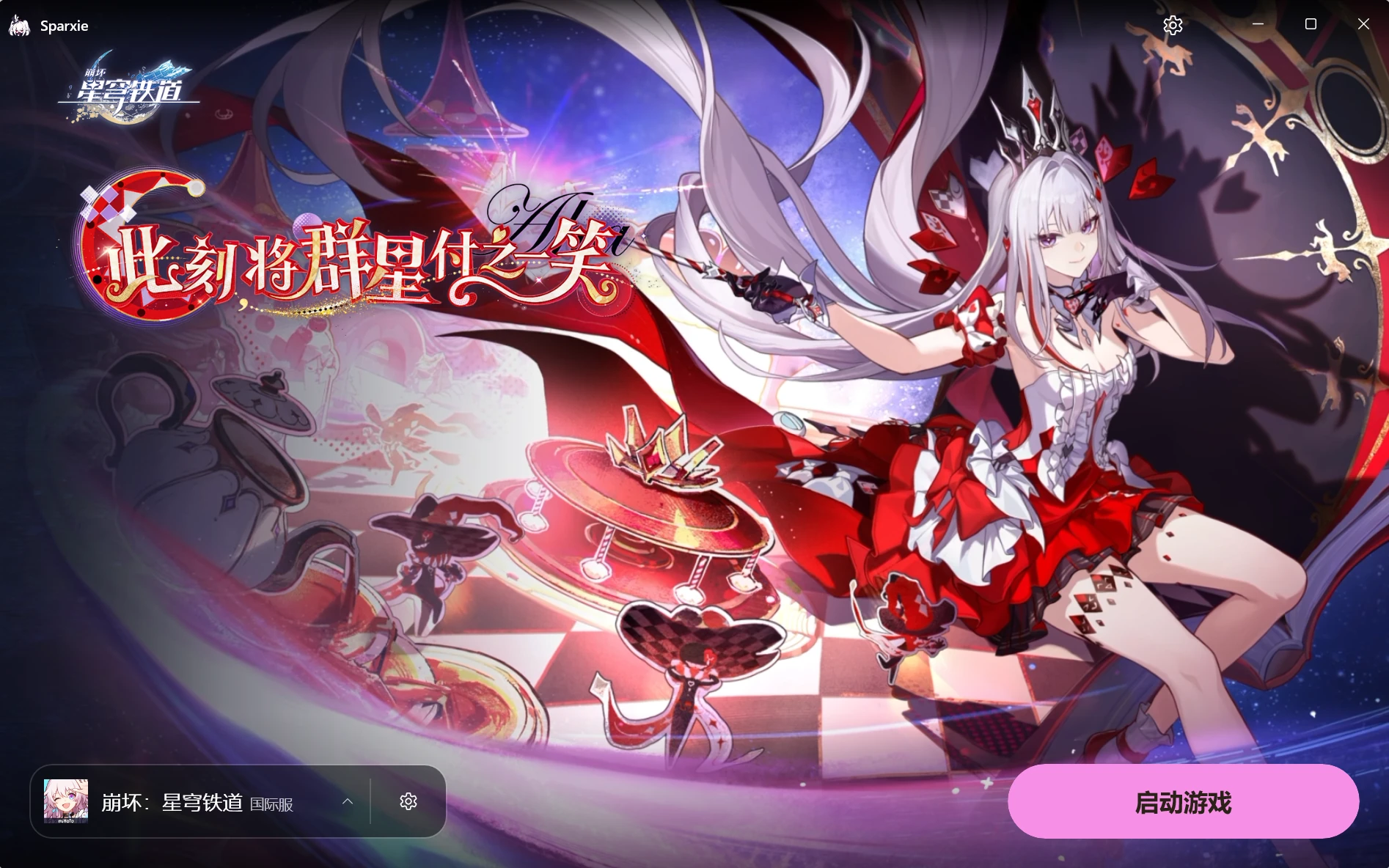
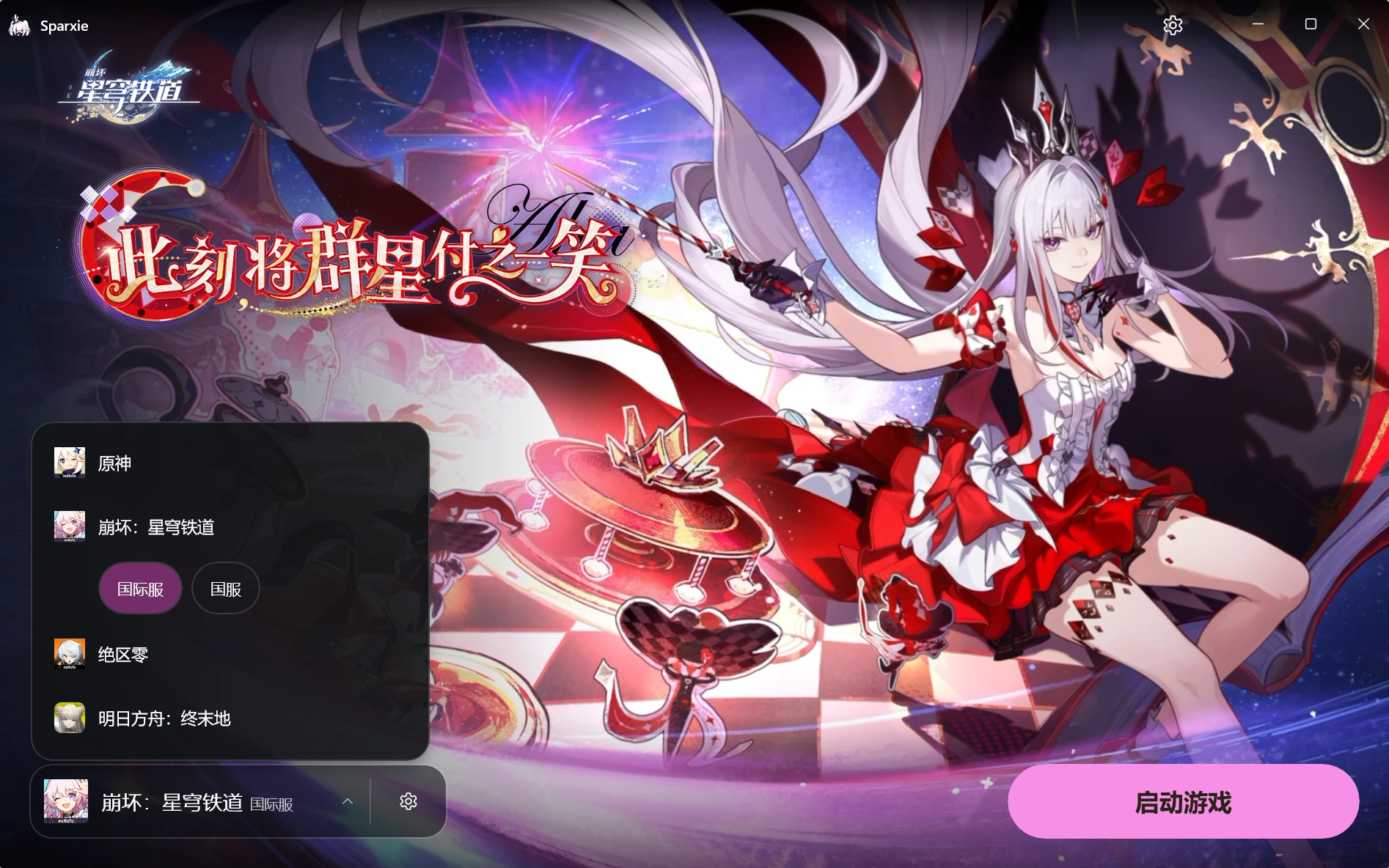
Only two controls on the home canvas: switch games on the left, launch on the right.
Zero clutter, every control within thumb reach
Three built-in games, instant multi-profile switching
Genshin Impact, Honkai: Star Rail, and Zenless Zone Zero work out of the box. Keep multiple profiles per game, auto-discover local installs with region labels, and let every edit save automatically.
- Launches only count as succeeded once touch initializes; failures surface directly with one-click diagnostics.
- Zenless Zone Zero uses a SHA-256 verified pinned touch runtime and supports Steam launch.
- Single-instance window focus and optional tray minimize; games keep running after closing Sparxie.
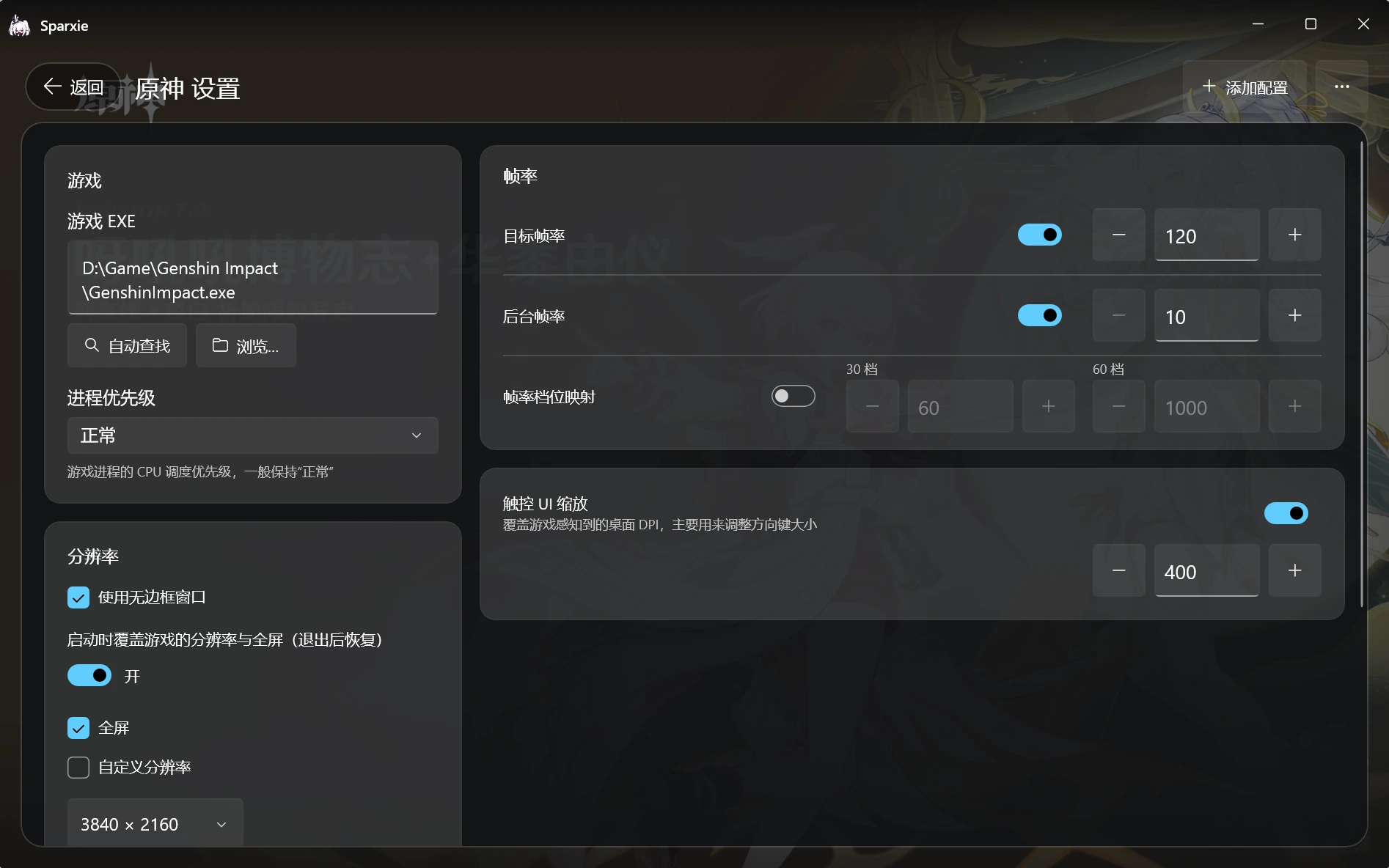
Tune frame rate and display per launch
Unlock FPS (default 120), cap background frame rate, set process priority, and scale Genshin touch UI. Temporary resolution and fullscreen overrides revert automatically when the game exits.
- Integrate with Sunshine and external launchers via Broker gRPC over named pipes.
- Unified top-level disableTouchUi toggle keeps FPS unlock on Genshin and Star Rail while skipping injection on ZZZ.
- Per-profile config.json validation and recovery prevents a bad entry from wiping your setup.
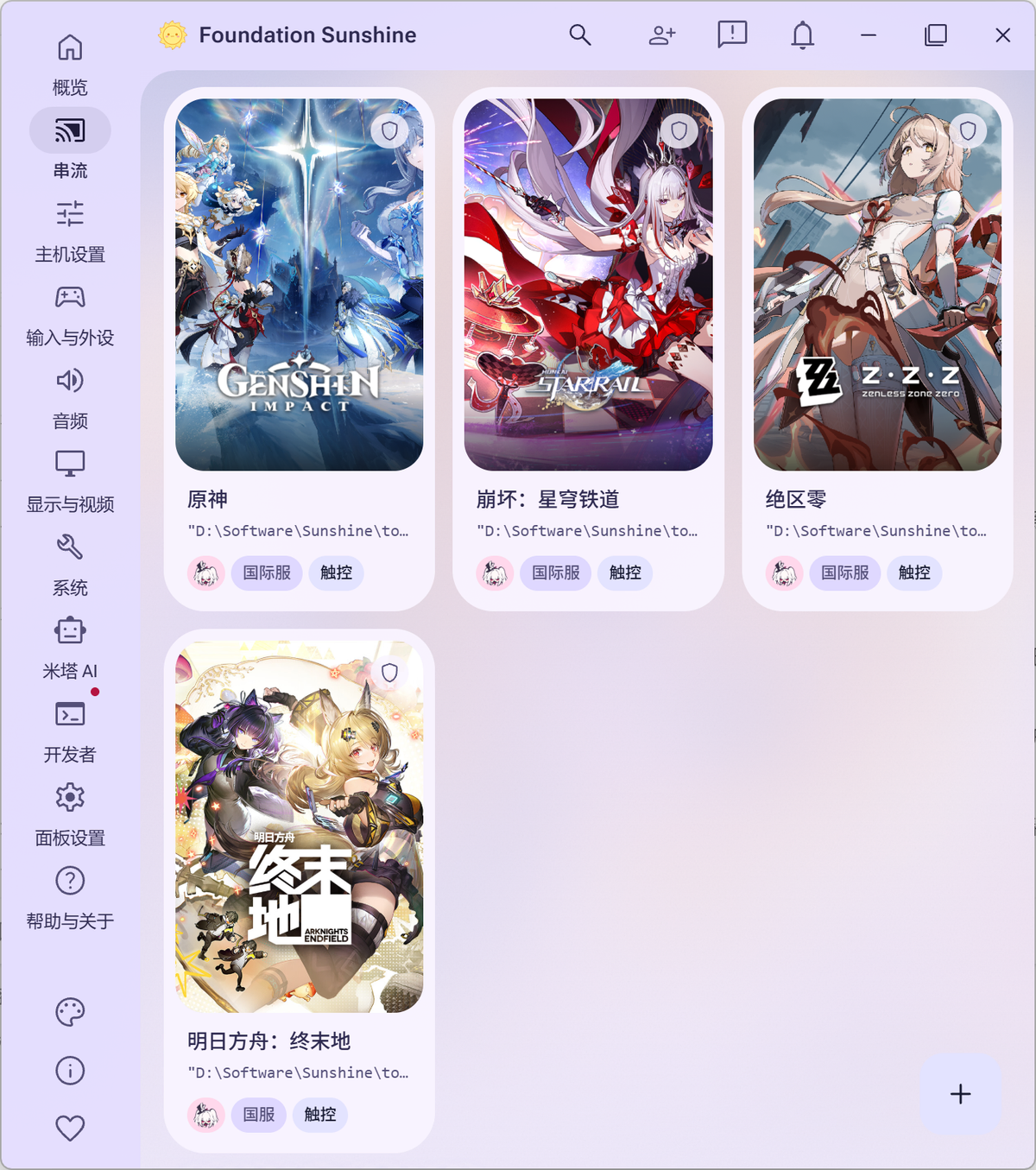
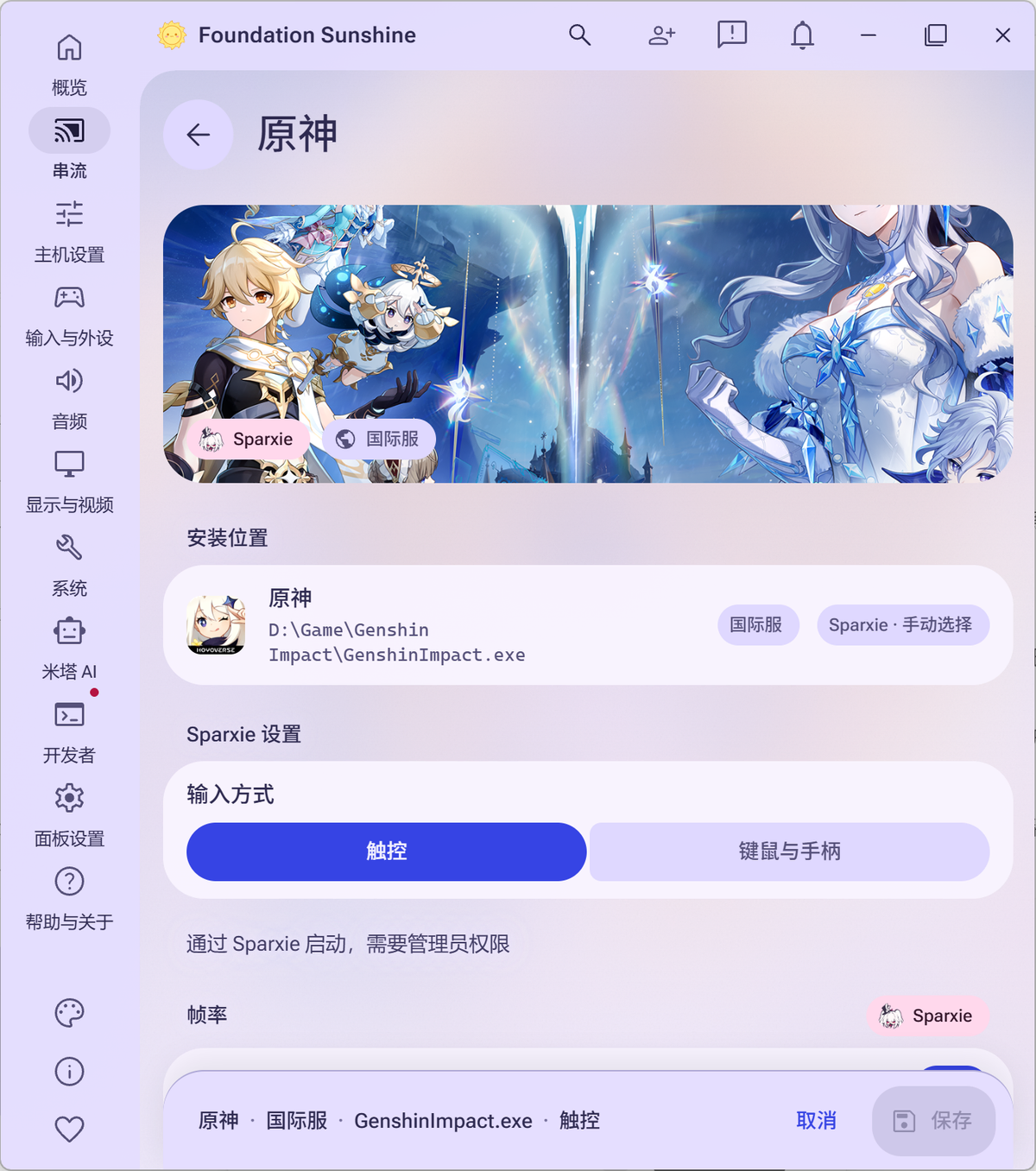
Deep native integration with Foundation Sunshine
If you stream with Foundation Sunshine, Sparxie is built directly into its Web UI. Detect installed games, toggle between Touch and Keyboard/Controller per app, sync official portrait and landscape cover art, and restore display settings automatically after each stream.
- Switch between Touch and Keyboard/Controller per streaming app right inside the streaming panel.
- Match target FPS to the active streamed display refresh rate and configure background caps right in the panel.
- Automatically sync official 2:3 and 16:9 game posters with an optional Sparxie badge.
Extend to more games with experimental plugins
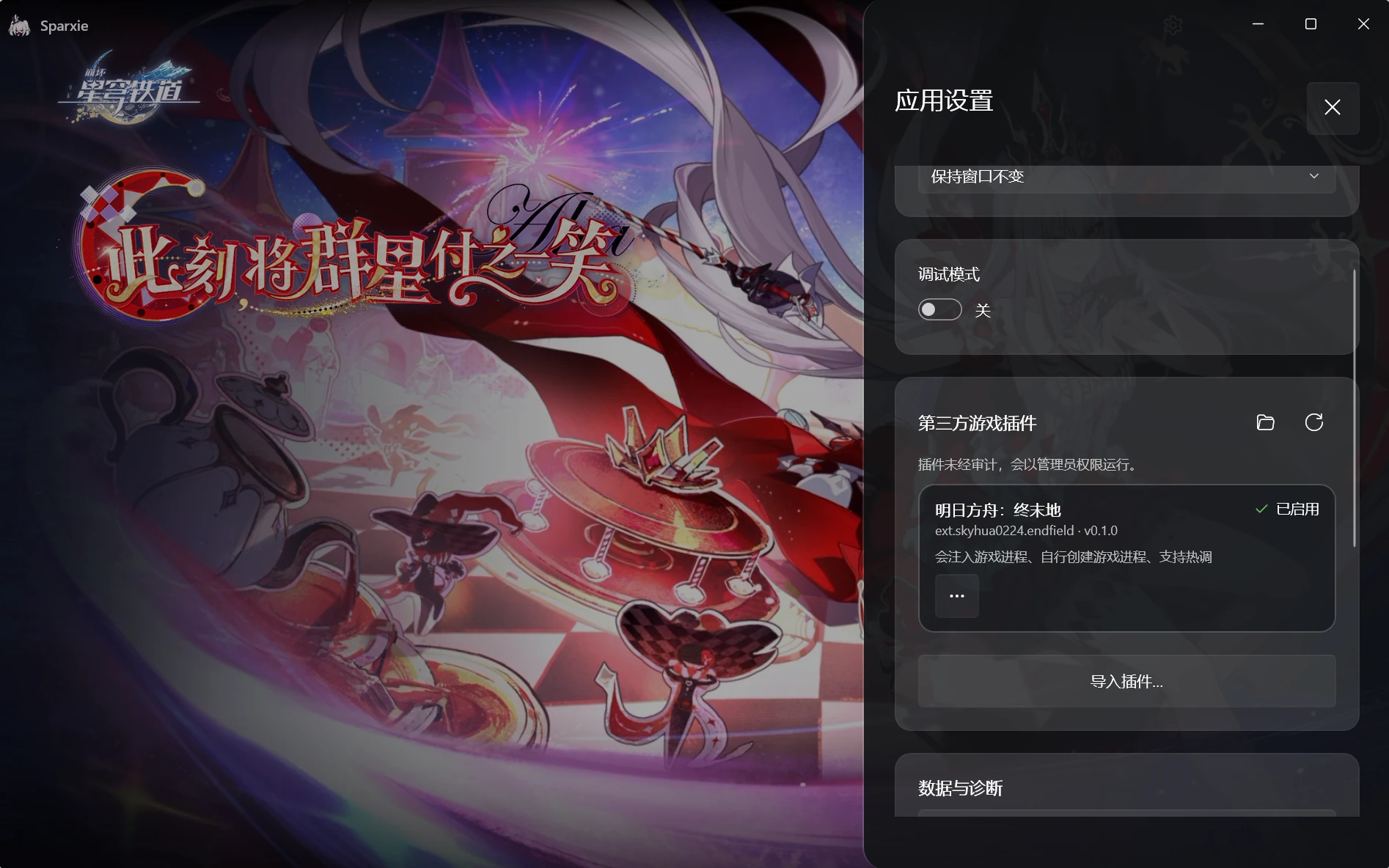
Official builds ship completely clean with zero bundled plugins. Import community plugins via .zip or folder after reviewing SHA-256 hashes and capability warnings.
- Plugin games get full multi-profile switching, auto-discovery, declarative settings, and backgrounds.
- Build your own with plugin-template, plugin-tools, and the MIT-licensed C ABI 1.1 header.
- Backward-compatible with ABI 1.0 and supports optional disableTouchUi capability.
One launcher across three ways to play
Game Streaming
Stream from your desktop PC to a tablet or phone. Natively integrated with Foundation Sunshine for per-app touch switching, cover sync, and display restore.
Read streaming guideWindows Tablets
Touch-friendly targets and a two-button home screen on Surface, ROG Flow Z13, and 2-in-1s—no keyboard required.
Windows Handhelds
Portable folder layout with compact scrollable menus built for smaller high-DPI screens.
Running in three steps
Self-contained portable folder—extract over your existing directory to upgrade without losing profiles.
- 01
Extract the archive
Download win-x64.zip into any writable folder and run Sparxie.exe. No .NET install needed.
- 02
Auto-find your games
Use Auto-Find in settings to detect local installations and regions, then tune FPS or resolution.
- 03
Launch & approve UAC
Tap Launch and approve admin elevation (required for runtime injection and FPS unlock).
Licensing and risk disclosure
Sparxie Core & Desktop
GNU GPLv3Desktop, Shell, Broker, SessionHost, and all first-party source code.
ZZZ Touch Runtime
Closed-source (GPLv3 Exception)Distributed under LICENSE-EXCEPTION.txt with SHA-256 verification.
Plugin C ABI Headers
MITIn native/plugin-abi/ so community plugins can choose any license.
Unofficial tool notice
Sparxie is an independent project with no affiliation to miHoYo / HoYoverse. Injecting a touch runtime and modifying FPS may violate game Terms of Service and carry account risk—use at your own discretion.
Third-party plugins are unaudited and unsandboxed native code running with administrator privileges. Only enable plugins from authors you trust.
Read full License & Safety documentation